
If you’re able to log in, you can update your email address at any time by following these steps:
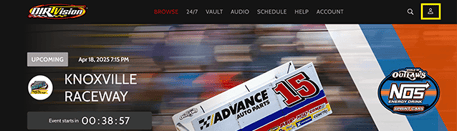
- Click on your profile icon (top right corner).
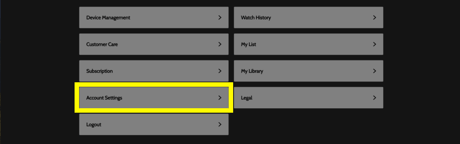
- Select Account Settings.
- Click the pencil icon next to your current email address.

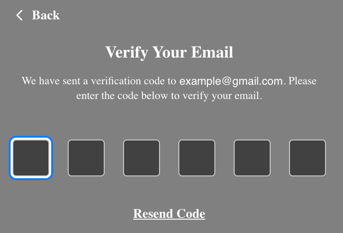
- Enter the verification code sent to your current email address.
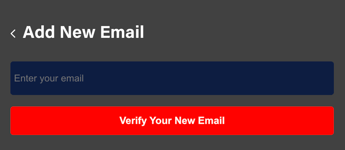
- After entering the code, type in your new email address and click Verify Your New Email.
- You’ll then receive a second verification code at your new email address.
- Enter that code to complete the update.
Once successful, you’ll see a green confirmation banner at the top of the screen. If you do not see this banner, the email change was not completed—even if the new email appears in your account.
Please Note
- The new email address cannot already be associated with an existing DIRTVision account.
- You must use an email that is not currently tied to another account.
Don’t Have Access to Your Current Email?
If you can’t access your current email, contact our support team at support@dirtvision.com.
Please include:
- Your current (old) email address
- Your new email address
Our team will help update your account.